This version introduces two major improvements to the design of data tables and to the automatic translation mechanisms.
Data table: a more intuitive construction
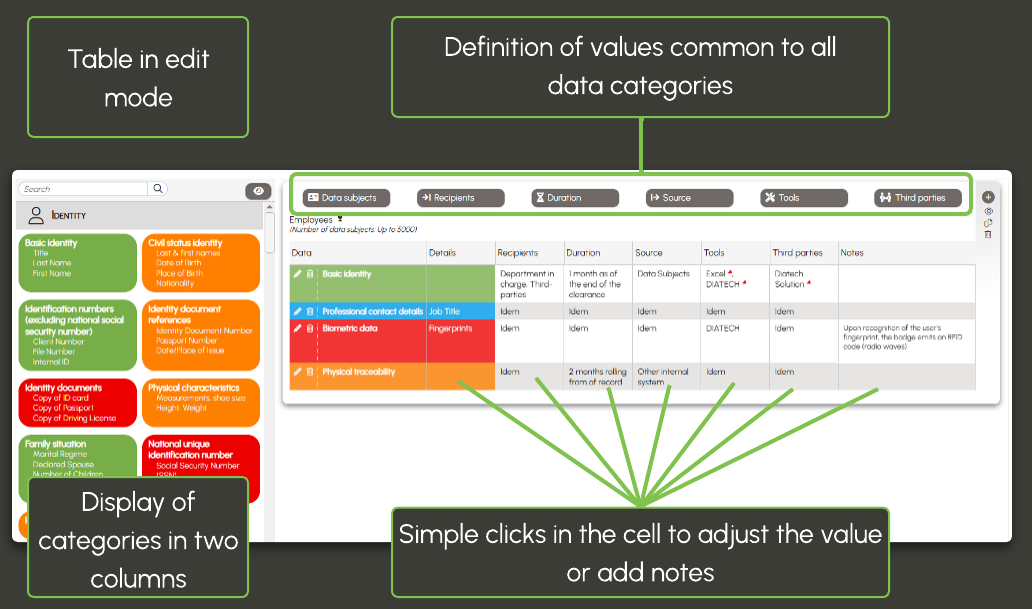
The table keeps exactly the same layout in edit mode and view mode.
Immediate readability and a much more intuitive handling
The action buttons are grouped at the top of the table.
More logical positioning, improved readability
Adjustments by data category are simplified: a single click directly in the cell is sufficient.
Quick and intuitive changes.
The data category catalog adopts a two-column layout.
More compact list, faster reading, more comfortable selection
Check out the interactive guide for more details or see this evolution in pictures in a short video.
Automatic translations: a completely redesigned operation
Until now, forms were automatically translated as soon as they were first created, but translations were no longer updated when changes were made and had to be relaunched manually, while all languages were displayed from the draft stage.
With the new system:
The selected interface language determines the language used to complete the form.
The input language is clearly identified
As long as the form remains in draft status, the user enters data in only one language. One form = one language until it is finalized.
No unnecessary overload, translations are no longer a burden at this stage
Automatic translation is triggered only when the form is validated or published.
Forms published in the register are complete in all available languages
Manual adjustments are still possible, but only on translations.
The input language is now identified and fixed, an advantage for audits
- Only translated forms are shared as models and are therefore usable in all languages
- Any modification to a model form results in the creation of a new version, ensuring traceability of the versions used.
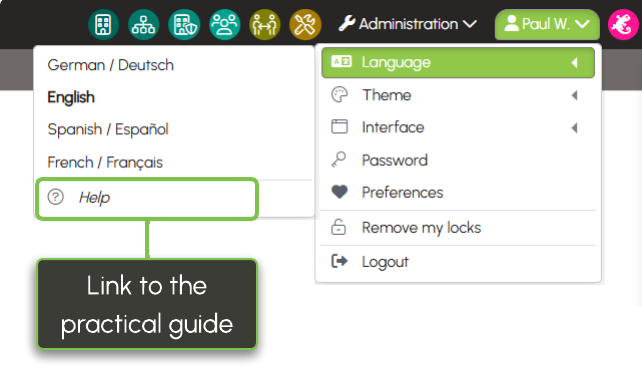
For further explanations, consult the practical guide.